

 AdonisJS
Open it
- The settings: open the command palette (⌘K, or Ctrl+K on Windows) and choose Visitor data. The shortcut is T then Shift+V (press T, let go, then hold Shift and press V, while you’re not typing in a box; see Keyboard shortcuts). The settings are on the Request log card.
- The page views: in the command palette, choose Request Log. The shortcut is T then L.
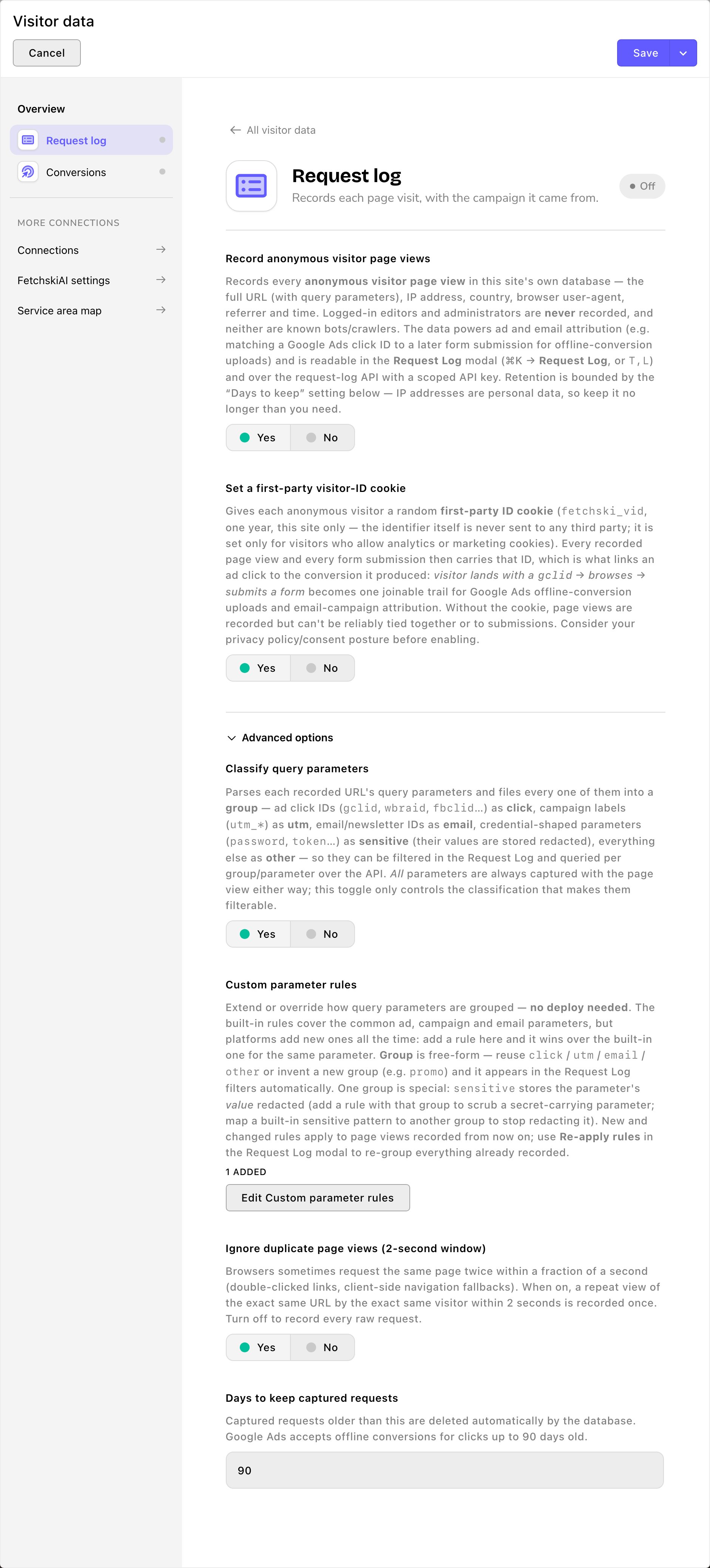
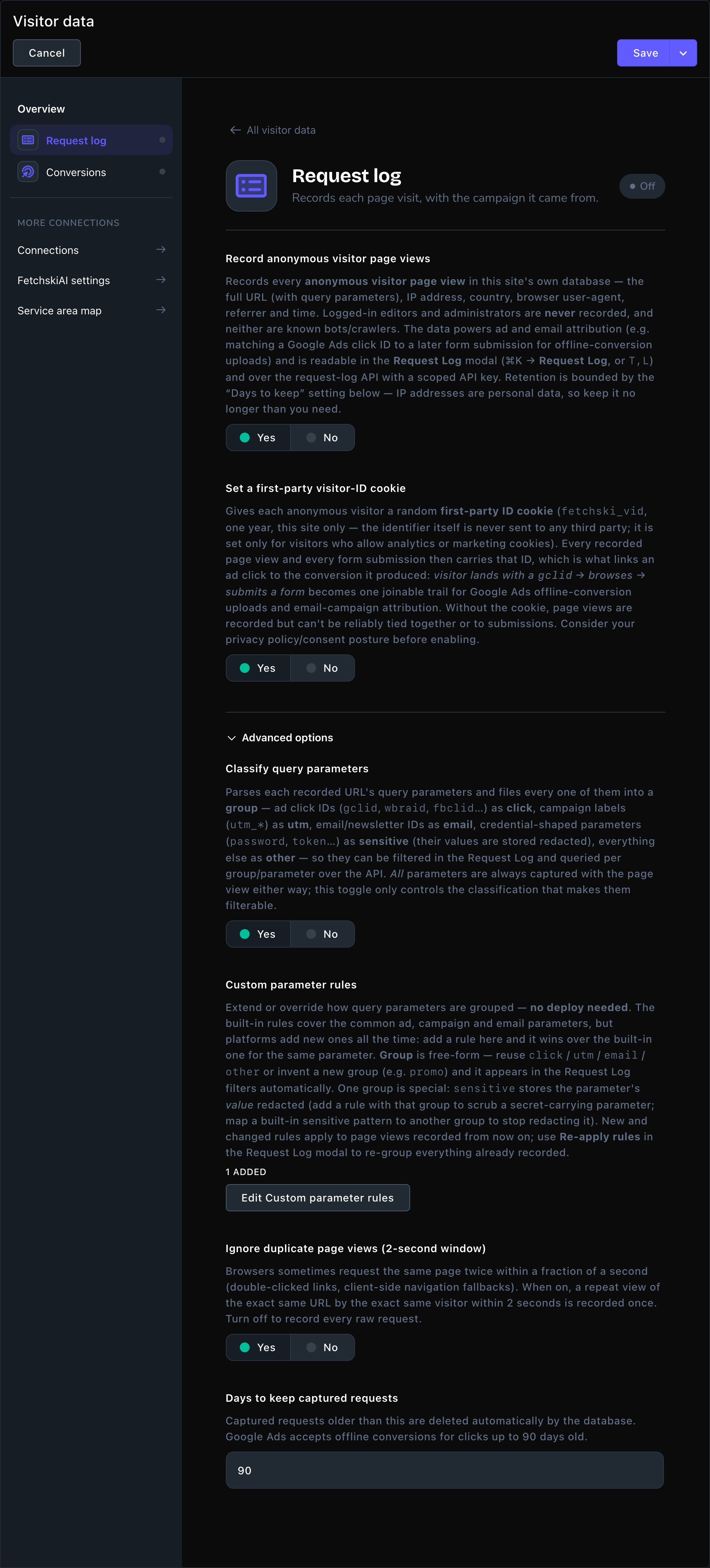
The Request log card, with its Advanced options open.
The Request log card
- Record anonymous visitor page views: the main switch. It starts off. Turn it on to start recording. “Anonymous” here means visitors who aren’t signed in, not that nothing about them is kept. Each page view can include the visitor’s IP address, country, browser and the site they came from, as far as their cookie choice allows. See “Values you see as [withheld]” below.
- Set a first-party visitor-ID cookie: gives each visitor a random ID that only your site uses. It links one visitor’s page views and the forms they send, so you can follow an ad click through to a lead. It’s only set for visitors who allow analytics or marketing cookies.
Advanced options
- Classify query parameters: sorts the extras in each web address into groups, so you can filter by them. Examples are ad click IDs (click), campaign tags (utm), email links (email) and everything else (other). The extras are kept either way. This setting only sorts them.
- Custom parameter rules: add your own sorting rules. Each rule has a Parameter name (or prefix), a Match (Exact name or Name prefix) and a Group. Type a new group name, such as “promo”, and it becomes a filter in the Request Log. Name prefix matches every name that starts with what you type: “promo” matches promo, promocode and promoweek.
- Ignore duplicate page views (2-second window): starts on. A visitor who loads the same page twice within 2 seconds is recorded once.
- Days to keep captured requests: older page views are deleted by themselves. It starts at 90 and can be 1 to 730. Page view records include IP addresses, which are personal data, so keep them no longer than you need.
https://parkerspuppyplayland.example/contact-us?gclid=abc123&promo=spring.
- The page’s path is
/contact-us. It shows in Path. - Everything after the
?is the extras, called query parameters, joined by&. Each has a name and a value:gclidwith the valueabc123, andpromowith the valuespring. gclidis a Google Ads click ID, so it lands in the click group.promolands in other, unless you add a rule that gives it a group of its own.
The Request Log
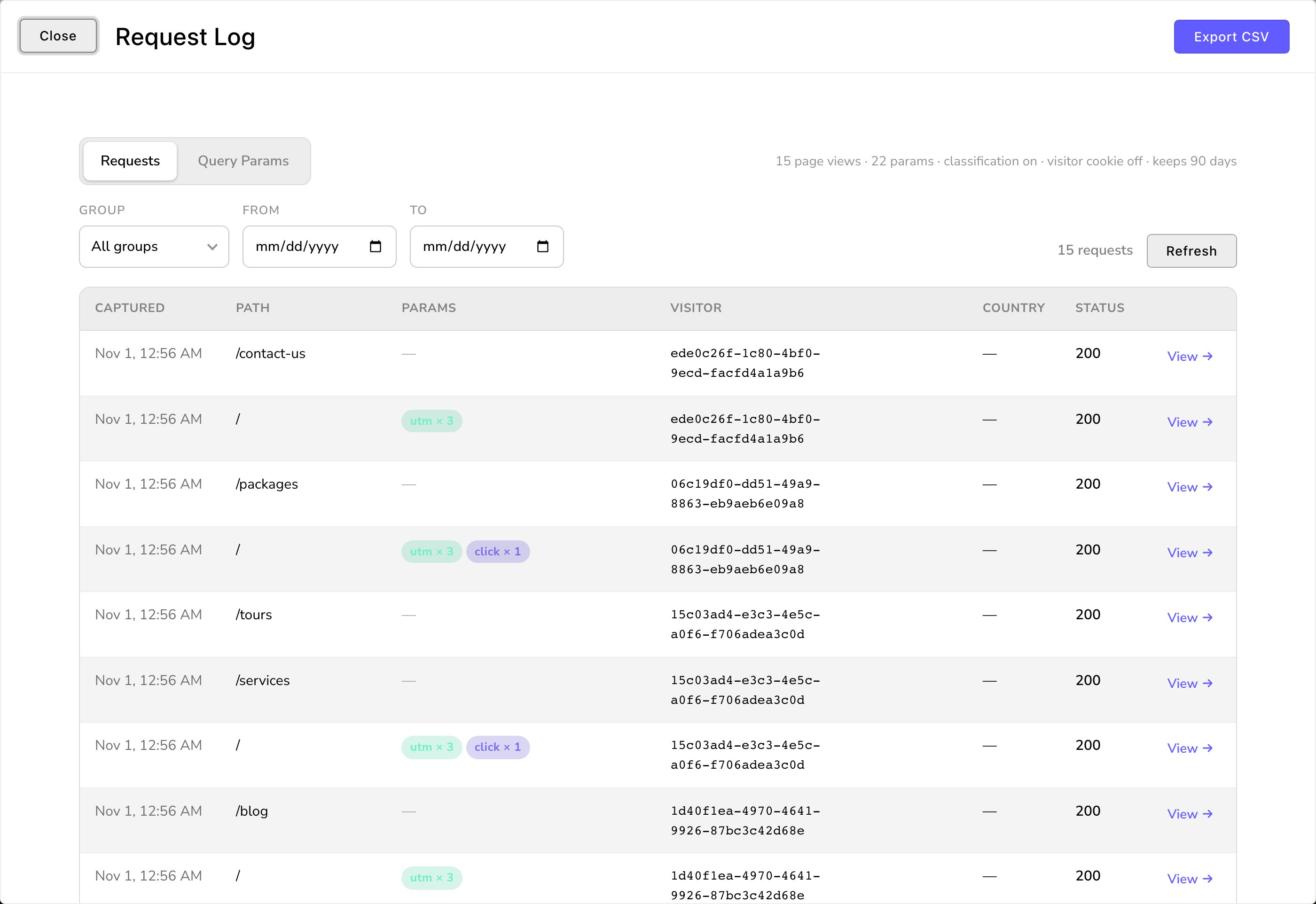
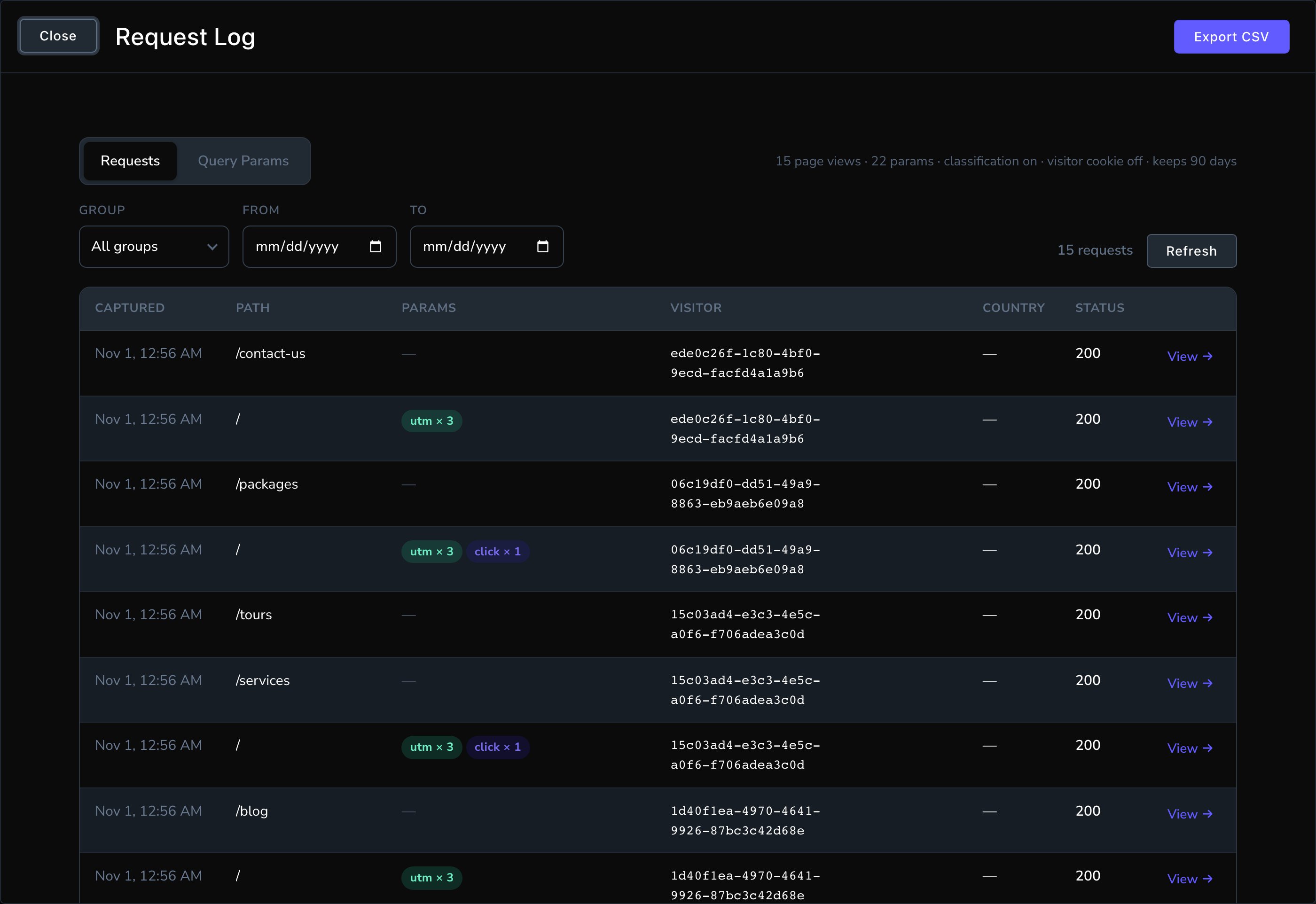
Every page view, with the ad or campaign it came from.
- Requests: one row per page view, with Captured (when), Path, Params (badges per group), Visitor, Country and Status. Choose View → on a row to see everything about that page view.
- Query Params: one row per extra in a web address, with its Parameter, Value and Group. Type a name in Parameter, such as gclid, to list every Google Ads click.
- Export CSV downloads what you’re looking at as a spreadsheet file.
- Re-apply rules (on the Query Params view) re-sorts everything already recorded with your current rules. It shows only while Classify query parameters is on.
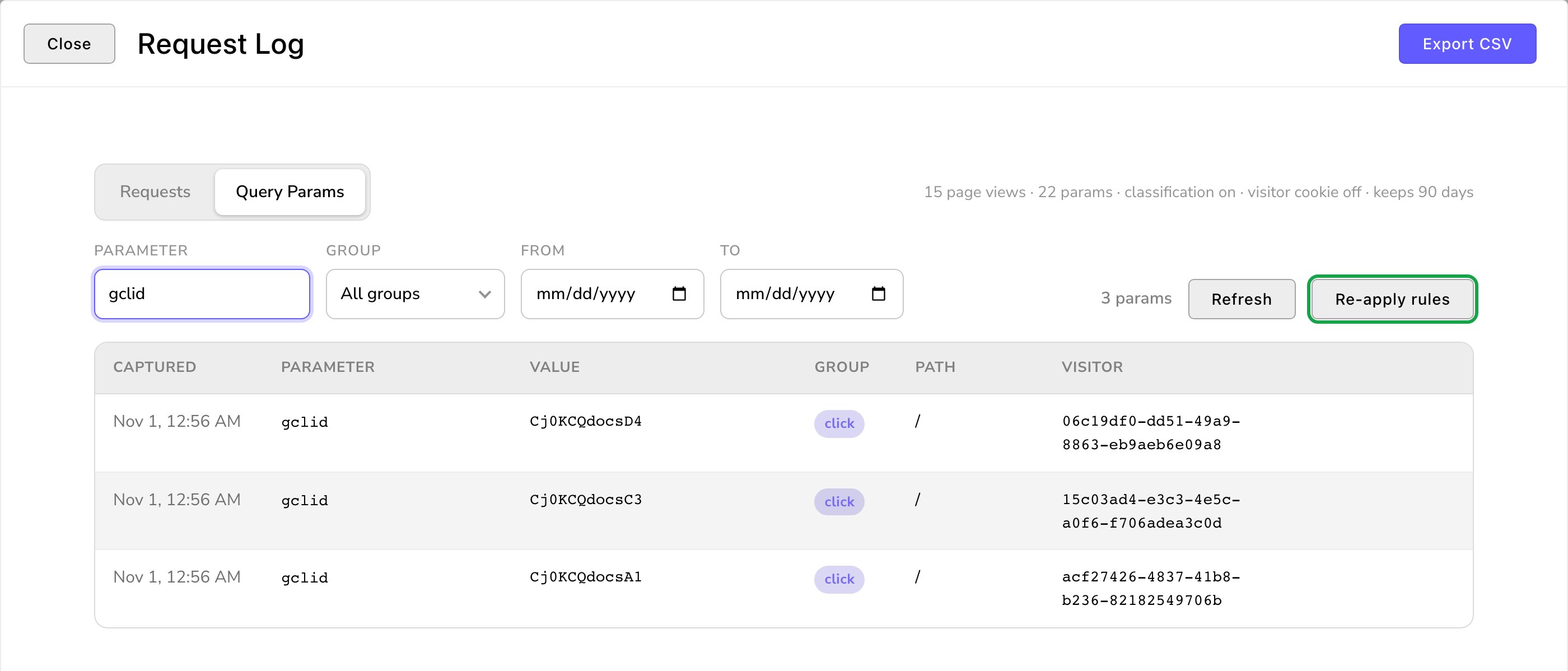
Every Google Ads click, ready to match to a lead.
Values you see as [withheld]
Visitors choose what they allow in your cookie banner, and the request log respects it. It records each page view at the level that visitor allowed:- Allowed marketing cookies: everything is recorded, including ad click IDs.
- Allowed analytics cookies, not marketing: the page view is recorded in full, but ad click IDs show as [withheld].
- Allowed neither: ad click IDs show as [withheld], the IP address is shortened, and there’s no visitor ID. Browser details are left out, apart from the kind of device. For the site they came from, only its address is kept, not the exact page. The page, time, country and status are still recorded.
Values you see as [redacted]
Some web addresses carry passwords or security codes by mistake. Extras whose names look like one, such as password or token, are stored as [redacted]. The name is kept, so you can see one turned up, but the value never is. This works only for names the rules recognize. If your site uses a parameter of its own that can carry a password or security code, add a Custom parameter rule for it with the group sensitive. sensitive is the one group that changes what’s stored, not just how it’s sorted: a value in it is replaced with [redacted] before it’s saved. Then choose Re-apply rules to clean the page views already recorded.Good to know
- Forms carry the visitor ID. With the visitor-ID cookie on, each form submission notes the visitor who sent it, so you can match it to their ad click. See Form submissions.
- Conversion tracking doesn’t need the log. It keeps its own record of where visitors came from, so you can turn the log off or shorten its days without losing conversions. See Conversion tracking.
- Other systems can read the log with an API key. See API keys and webhooks.
- Who can use it. Admins and Owners can open the Request Log, export it and re-apply rules. Each is its own permission in People & Roles: See the request log, Export the request log and Reclassify request-log entries. They show as not set up until recording is on.
Troubleshooting
The Request Log says "Capture visitor requests
The Request Log says "Capture visitor requests
Recording is off. Choose Open Visitor data, turn on Record anonymous visitor page views, and choose Save.
The Request Log says "Nothing captured yet
The Request Log says "Nothing captured yet
Recording is on, but nobody has visited since. Your own visits don’t count while you’re signed in. Open your site in a private window (Incognito in Chrome), which isn’t signed in, to make one.
I don't see Re-apply rules or Export CSV
I don't see Re-apply rules or Export CSV
Re-apply rules shows on the Query Params view, and only while Classify query parameters is on. Both buttons also need their own permission. Ask an Admin or Owner.
Related
Conversion tracking
tell your ad platforms which ads bring customers.
Analytics
visitor counts and top pages.
Cookie consent
the banner that sets what’s recorded.
Form submissions
the leads to match to ad clicks.