

 AdonisJS
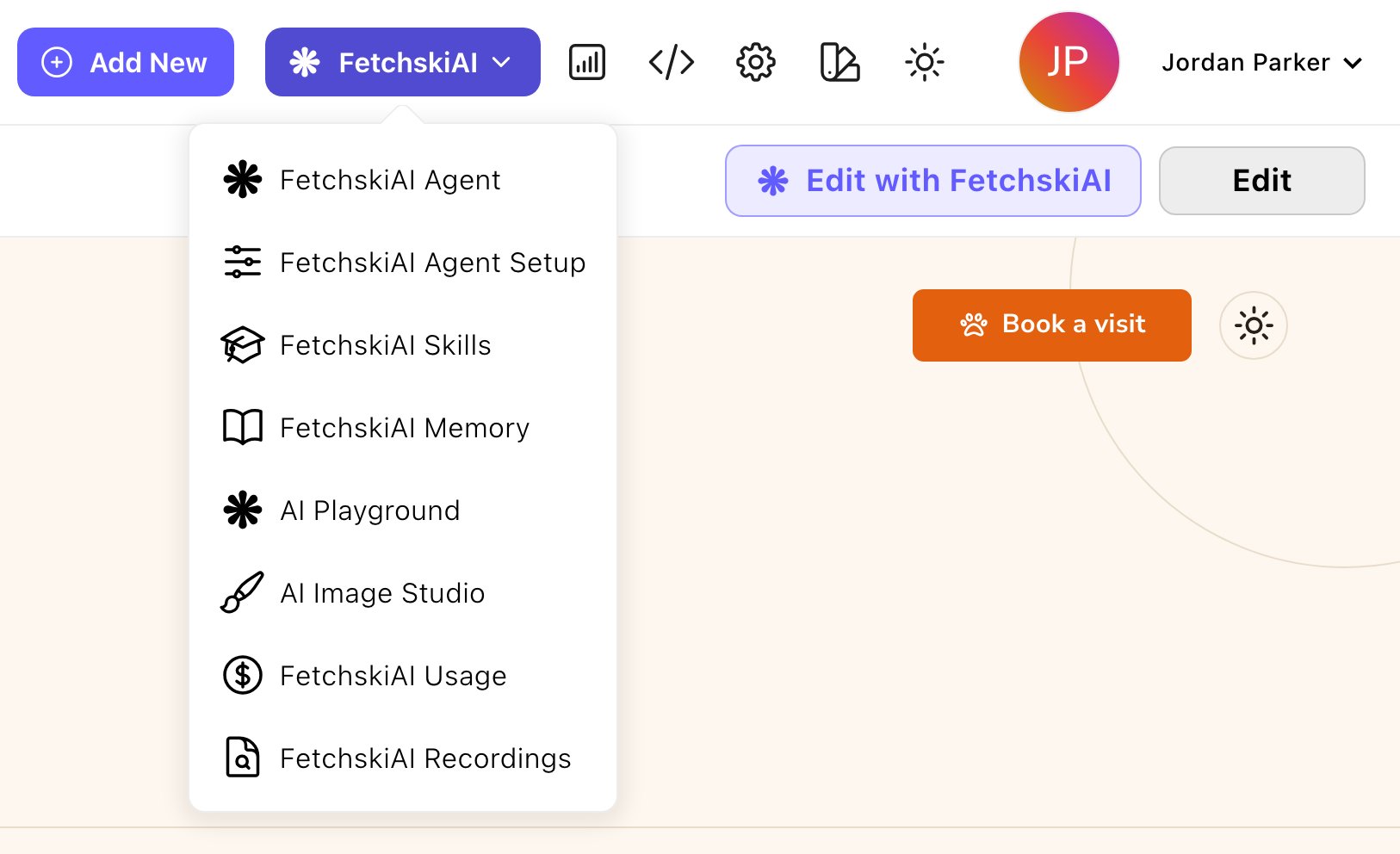
Everything FetchskiAI, one click from the toolbar.
Build and edit with the Agent
The FetchskiAI Agent
ask in plain words, and it builds or changes the page you’re on. You review its changes and publish.
Edit a section with FetchskiAI
point the Agent at one section and say what to change.
Agent Setup
tell the Agent about your business, and choose what it may read. What each role lets it change is set in People & Roles.
Skills
give the Agent know-how for tasks you repeat.
Memory
the notes the Agent keeps about your site.
Write and create
Writing help
improve, shorten or write new text in text boxes with formatting buttons, such as a Rich Text section or a blog post’s body.
SEO suggestions
get a page title and description for search results (SEO, search engine optimization).
Generate a blog post
turn your notes into a draft post.
Image generation
describe a picture and get options to choose from.
Good prompts
a prompt is what you type to ask the AI for something. Examples that get great results.
Set up and keep track
FetchskiAI settings
turn AI on and set site-wide instructions.
Custom instructions
tell FetchskiAI how you and your business like to write.
Usage and budget
see what AI costs, by feature and by person.
Recordings
look back at recent text requests (not image generation).
AI Playground
try requests on different AI models side by side. A model is the AI system that writes the answer; each has its own strengths and price, and your site’s default is a good place to start.
Code Sandbox
let the agents run code, when Fetchski sets it up.
Where to start
FetchskiAI runs on an AI account that Fetchski sets up for your site. Until it’s ready, the AI tools show “FetchskiAI isn’t set up for this site yet. Contact Fetchski Support to enable FetchskiAI features.” If you see that, ask Fetchski Support to set it up. Admins and Owners, first:- Turn it on. Open the command palette, the search box at the left of the toolbar: press ⌘K (Ctrl+K on Windows), type “FetchskiAI settings” and press Enter. Turn on Enable AI features. See FetchskiAI settings.
- Describe your business. In the toolbar, choose FetchskiAI → FetchskiAI Agent Setup and fill in Business Context, so the Agent, writing help, SEO suggestions and blog posts sound like you. See Agent Setup.
- Ask for something. While signed in, go to a page on your site. Choose FetchskiAI → FetchskiAI Agent in the toolbar, and try “Add a short section introducing what we do, after the first section.” See The FetchskiAI Agent.
Good to know
- Nothing goes live on its own. The Agent changes drafts, and you publish when you’re happy. To undo everything the Agent did in the current conversation, use Revert run. See The FetchskiAI Agent.
- AI has a budget. Fetchski sets a spending limit for your site. A meter shows how much is used, and a clear message tells you if it runs out.
- What FetchskiAI can do depends on your role. Admins and Owners choose what the Agent may change for each role, such as colors, pages or the site’s styling code.
Related
A tour of Attract
find your way around.
What each role can do
who can use which AI tools.