

 AdonisJS
The idea
AI is good with words but can slip on exact numbers and fiddly data. When a task needs a precise answer, an agent writes a short set of instructions for a computer (a small program). It runs the program in the Code Sandbox, reads the result, then carries on with your request. Each program runs in a temporary space, away from your site. That space never gets your site’s keys or passwords. It gets only the data the agent hands it for that task, which can include text or numbers from your site. Each run stops after 60 seconds, and the space is deleted after 15 minutes without a run. These FetchskiAI tools can use it:- the FetchskiAI Agent, on a page or on one section
- the AI Playground, when the chosen model can use tools. In the Playground’s Model picker, the Tools filter (a wrench icon) shows those models.
- the Skill Creator in Skills
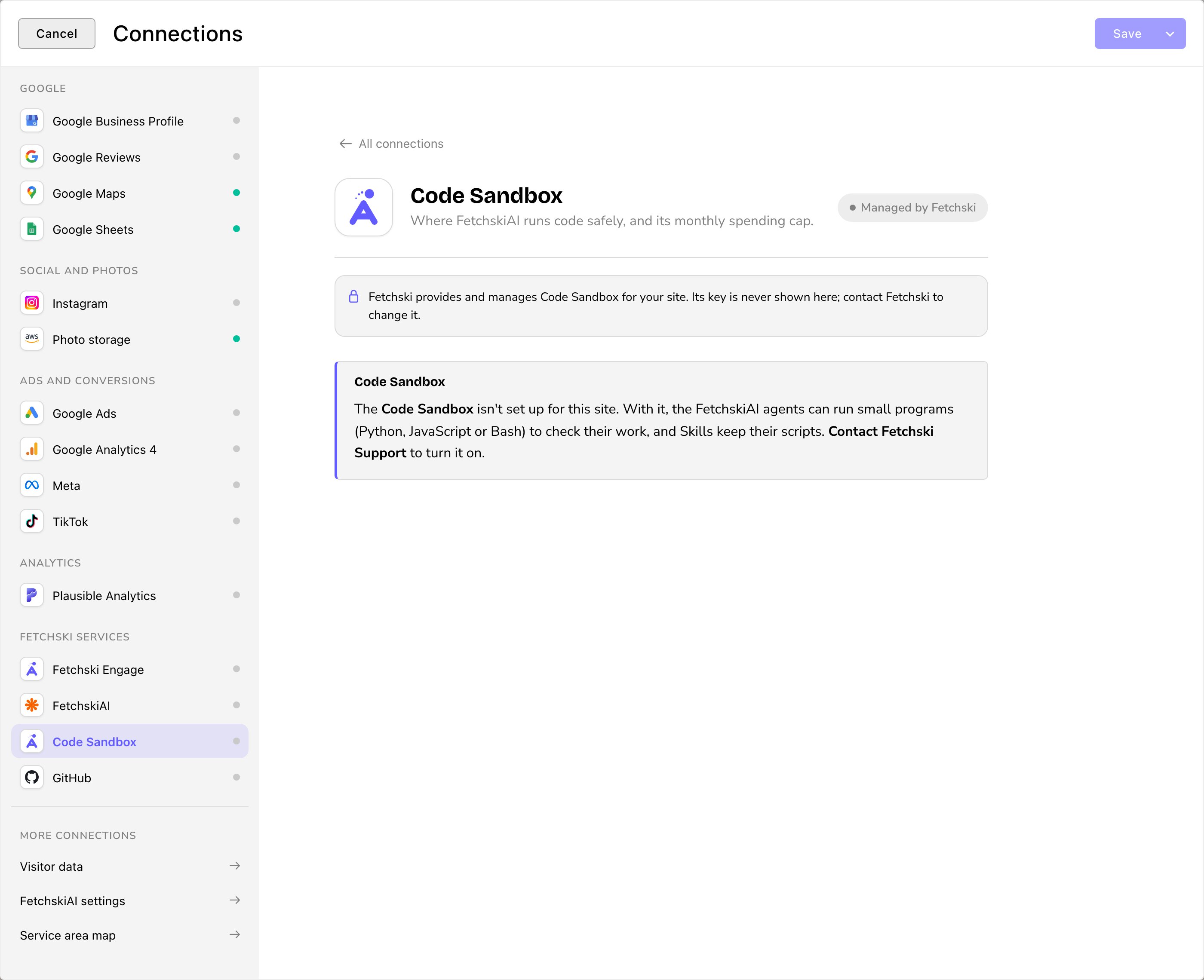
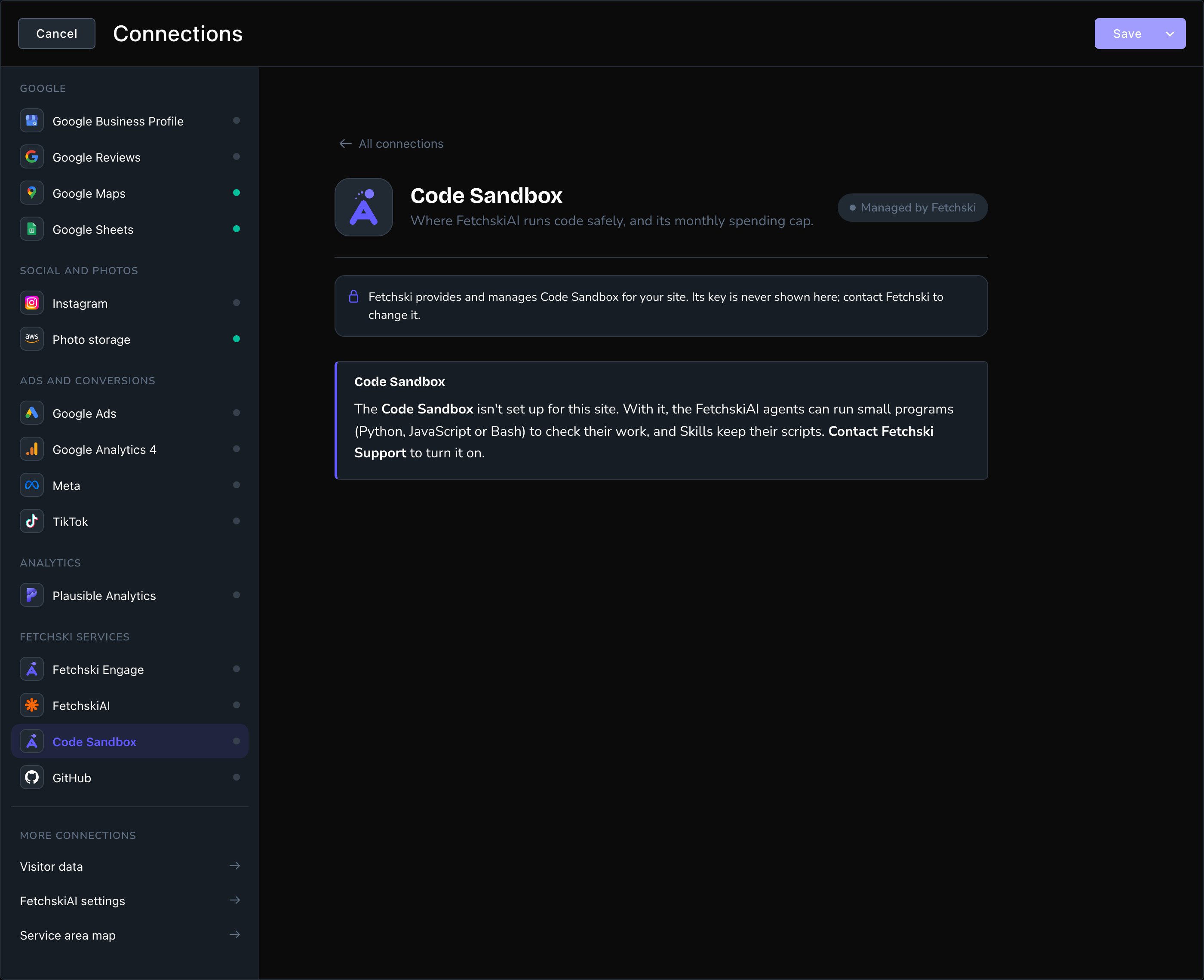
The Code Sandbox card in Connections. Fetchski manages it for you.
Where you’ll see it
In Connections. Open Connections, then Code Sandbox under Fetchski services. The card’s badge shows Managed by Fetchski. The notice explains that Fetchski provides it and that its key is never shown. If your site doesn’t have it yet, the Code Sandbox notice says it isn’t set up and asks you to contact Fetchski Support to turn it on. In the agents’ work. While an agent runs code, the Agent panel shows Running code. The agent then uses the result, with nothing for you to do. In your costs. Code runs are billed separately from AI. They show as their own Code Sandbox figures in Usage and budget and in FetchskiAI Recordings.Safety
- Only the task’s data goes in. The sandbox never gets your site’s keys or passwords, and it can’t open your site’s content by itself. It gets only what the agent sends for the task, and that can include content from your site, such as a page’s text or colors.
- Check the card for internet access. If the Code Sandbox card in Connections shows a Code Sandbox network notice, the sandbox can reach a few public services on the internet. With no such notice, either the sandbox can’t reach the internet at all, or it hasn’t run on your site yet.
- A program’s result can’t steer the agent. The agent uses the result as a fact to check its work. You still see what the agent changed in the draft and review it before you publish.
The budget
Fetchski sets a monthly budget for the Code Sandbox on your site. When the month’s runs reach it, the agents stop running code until next month and work things out without it. To raise the budget, contact Fetchski Support.Turn it on for your team
The Code Sandbox works for anyone who holds Let the agents run code, once Fetchski has set it up. Admins and Owners hold it. Editors don’t, because each run costs money. The agents don’t ask before each run. For anyone with the permission, they run code whenever a task needs it, until the month’s budget is used up. To stop a role’s agents running code, take Let the agents run code away from that role in People & Roles. To let other people’s agents run code, give them that permission in People & Roles. See People & Roles.When Fetchski lets Owners manage the key
When Fetchski lets Owners manage the key
Fetchski can let your site’s Owners bring their own sandbox key: the key to an account with the sandbox service that runs the programs. Ask Fetchski Support how to set up that account and key. Once Fetchski allows it, Owners see the Code Sandbox key (Daytona) field on the Code Sandbox card.The key is masked, like every key in Connections. Choose Replace to change it, or Remove to take it away.With your own key, the sandbox service charges your account for the runs.The card’s badge then shows Connected, or Not set up without a key.The monthly budget for code runs still stays with Fetchski.
A short example
Jordan asks the FetchskiAI Agent to make the buttons on the Parker’s Puppy Playland home page easier to read.- The Agent suggests a darker label color for the buttons.
- Before changing anything, it runs a short program in the Code Sandbox to measure the contrast between the label and the button color.
- The numbers show the new pair is much easier to read, so the Agent makes the change in the draft and tells Jordan what it checked.
Good to know
- Skills can carry small programs. With a Code Sandbox, a Skill keeps any small programs that come with it, and the agents can run them. Without one, those files are left out when the Skill is added. See Skills.
- The very first run takes a while. The sandbox is prepared the first time it’s used on your site, which can take a few minutes. Meanwhile, the agent carries on with your request without running code. To have it check its work with code, send your request again in a few minutes.
Related
The FetchskiAI Agent
the main agent that uses the Code Sandbox.
Skills
know-how, and scripts, for the agents.
Usage and budget
what AI and code runs cost.
Connections
every service your site uses.